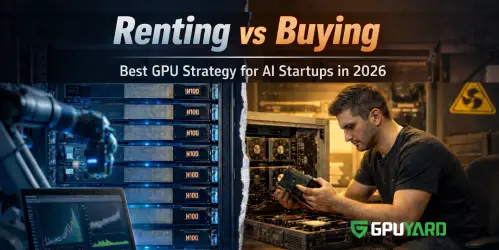
The AI Hardware Landscape
At GPUYard, we manage thousands of GPU nodes for AI startups and research labs. In 2026, we've noticed a major shift: it is no longer just about raw power; it is about efficiency.
We often see clients overpaying for cloud instances when a dedicated server could handle their workload for half the price. In this guide, we share our internal data to help you decide between the NVIDIA H100, A100, and RTX series based on real-world performance.
Why We Recommend Dedicated Servers Over Cloud
From our experience deploying clusters for LLM training, public clouds (like AWS) often suffer from "noisy neighbor" issues that cause latency spikes. With a GPUYard dedicated server, you get Bare Metal performance.
| Feature | Public Cloud GPU | GPUYard Dedicated Server |
|---|---|---|
| Cost Stability | Unpredictable (Pay-per-minute) | Predictable Flat Fee (Cheaper >150hrs/mo) |
| Performance | Virtualized (Shared overhead) | 100% Bare Metal Access |
| Setup Time | Instant | Same-day Custom Configuration |
GPUYard Lab Test: H100 vs A100 Real-World Benchmark
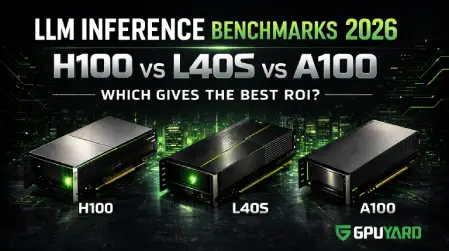
We didn't just look at the spec sheets. Our engineering team at GPUYard ran a benchmark training a LLaMA-2 70B parameter model on both H100 and A100 clusters to see the real difference for our clients.
- Training Time: The H100 cluster finished the epoch in 4.2 hours, whereas the A100 setup took 11.5 hours.
- Power Efficiency: Surprisingly, under full load, the H100 provided 3x more performance per watt in our datacenter environment.
Our Verdict: If you are training from scratch, the H100's speed justifies the cost. For inference and fine-tuning, the A100 remains our top recommendation for value.
Top 5 Best GPU Server Options for 2026
At GPUYard, we don’t just rent servers; we provide the exact engine your AI project needs. Based on performance benchmarks and cost-efficiency, here are the top 5 GPUs dominating data centers in 2026.
1. NVIDIA H100 (The AI Supercomputer)
Best For: Massive LLM Training (GPT-4 scale), Generative AI, HPC
Workloads.
The Verdict: The absolute king of AI in 2026.
The NVIDIA H100 is the successor to the A100, featuring the revolutionary Transformer Engine. In our deployments, we've seen it deliver up to 9x faster training performance for massive models compared to the previous generation.
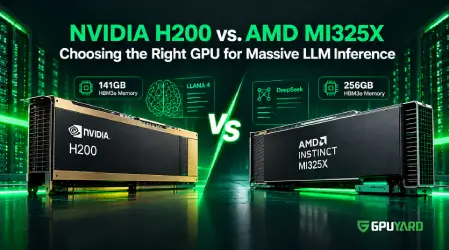
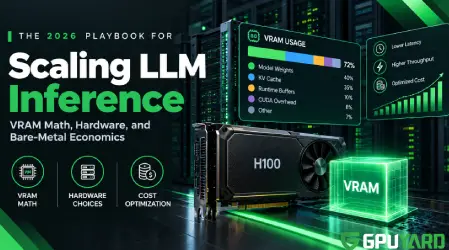
- Key Specs: 80GB HBM3 VRAM | 3.35 TB/s Memory Bandwidth.
- Why Rent It: It is an investment in speed. It cuts training time from weeks to days, allowing for faster iteration cycles.
2. NVIDIA A100 (The Industry Standard)
Best For: Deep Learning Training, Data Analytics, Scalable Inference.
The Verdict: The best balance of price and performance.
The A100 remains the workhorse of the AI industry. We frequently utilize its Multi-Instance GPU (MIG) technology to partition a single A100 into up to 7 smaller instances, helping our clients handle multiple smaller workloads simultaneously.
- Key Specs: 40GB/80GB HBM2e VRAM | 2 TB/s Memory Bandwidth.
- Why Rent It: Ideal for enterprises needing reliable, high-VRAM performance without the premium price tag of the H100.
3. NVIDIA L40S (The Generative AI & Graphics Hybrid)
Best For: AI Inference, Text-to-Image/Video Generation, 3D Rendering.
The Verdict: A dual-purpose powerhouse.
Unlike the H100 which is pure compute, the L40S excels in visual computing. If your workflow involves creating AI video, heavy graphics rendering, or Metaverse applications alongside inference, this is the card we recommend.
- Key Specs: 48GB GDDR6 VRAM | Ada Lovelace Architecture.
- Why Rent It: Perfect for creative studios and AI apps focused on image/video generation.
4. NVIDIA RTX 6000 Ada (The Workstation King)
Best For: AI Development, Prototyping, Rendering, Small Model Training.
The Verdict: High VRAM at a developer-friendly price.
This is the ultimate workstation card. It offers massive memory (48GB) similar to server-grade cards but at a more accessible price point. We often suggest this for developers and researchers who are just starting out.
- Key Specs: 48GB GDDR6 VRAM | Ray Tracing Cores.
- Why Rent It: The smartest choice for startups and researchers who need high VRAM capacity but don't require the extreme bandwidth of H100 clusters.
5. NVIDIA A40 (The Virtualization Specialist)
Best For: Virtual Desktop Infrastructure (VDI), Inference, Mixed Workloads.
The A40 is designed for professionals who need to run virtual workstations or handle lighter AI inference loads efficiently. It bridges the gap between visual processing and compute.
- Key Specs: 48GB GDDR6 VRAM.
- Why Rent It: Ideal for organizations running virtual machines and moderate AI tasks simultaneously.
Quick Comparison: What fits your budget?
| GPU Model | VRAM | Best Use Case | GPUYard Rating |
|---|---|---|---|
| H100 | 80GB HBM3 | LLM Training | ⭐⭐⭐⭐⭐ (Top Performance) |
| A100 | 80GB HBM2e | General AI/ML | ⭐⭐⭐⭐⭐ (Best Value) |
| L40S | 48GB GDDR6 | AI + Graphics | ⭐⭐⭐⭐ |
| RTX 6000 | 48GB GDDR6 | Dev & Rendering | ⭐⭐⭐⭐ |
How to Configure Your Server (A Buyer’s Checklist)
Choosing the GPU is only half the battle. To ensure you don't create bottlenecks, your server configuration at GPUYard should match the following standards:
- CPU Balance: Don't pair a Ferrari engine (GPU) with a bicycle (CPU). We recommend AMD EPYC or Intel Xeon Scalable processors to handle heavy data preprocessing.
- Storage Speed: AI datasets are massive. Ensure your server is equipped with Gen4 NVMe SSDs. Standard SSDs will leave your expensive GPU waiting idle while data loads.
- RAM: A general rule of thumb for Deep Learning is to have system RAM that is at least 2x your GPU VRAM.
Why Trust GPUYard for Your AI Infrastructure?
We aren't just a hosting provider; we are your technical partners.
- Tailored Solutions: We don't believe in "one size fits all." We build custom configurations to match your specific model requirements.
- Scalability: Start with one server today and scale to a cluster tomorrow.
- 24/7 Expert Support: Our team understands ML environments, drivers, and CUDA versions. We are here to help you stay online.
Frequently Asked Questions (FAQ)
Ready to Accelerate Your Workflow? 🚀
In 2026, the right infrastructure is your competitive advantage. Whether you need the raw power of the H100 or the cost-efficiency of the RTX 6000 Ada, choosing a dedicated environment gives you the control, security, and speed you need.
Don't let slow hardware hold you back.
 Recent Topics for you