Browse All GPU Server Locations

Power of GPU Servers for Computing

Supercharge Your Workflows with Parallel Processing for AI, Machine Learning, Gaming, and More

Reinforcement Learning

More uses include Robotics for automation, Business strategy planning, and robot motion control. It uses Deep Q learning architecture to build a model.

Computer Vision

It uses a convolutional neural network to develop image classification, object detection, and generative application. Using PyTorch, a programmer can process images and videos to develop a highly accurate and precise computer vision model.

Natural Language Processing

People can use it to develop language translators, language models, and chatbots. It uses architectures like RNN and LSTM to develop natural language and processing models.

black ribbon
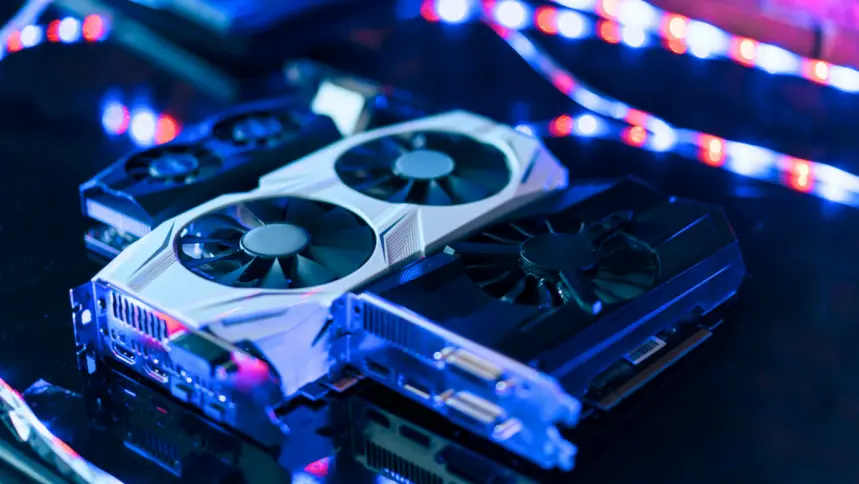
A set of grphics cards on the surface

What is a GPU Server?

A GPU server is a powerful type of computer designed to handle complex calculations, especially those needed for tasks like artificial intelligence (AI) and machine learning. The key feature that sets GPU servers apart from regular servers is the inclusion of one or more Graphics Processing Units (GPUs), which are specialized processors built to handle multiple tasks simultaneously, making them ideal for AI workloads that require a lot of processing power.

These servers are much more efficient than traditional servers, which rely on CPUs (Central Processing Units) that process tasks one after the other. By contrast, GPUs can process many tasks at the same time, thanks to their parallel processing capabilities, significantly speeding up operations.

What Makes a GPU Server Different from Other Servers?

GPU servers are designed to handle complex computations in parallel, which sets them apart from traditional CPU-based servers. While CPU servers are good at processing tasks sequentially, GPU servers excel at performing many tasks simultaneously, making them ideal for data-heavy applications like AI, machine learning, and deep learning.

Parallel Processing


GPUs have thousands of smaller cores that can handle multiple tasks at once, making them far more efficient for large-scale data processing than CPUs, which have fewer, but more powerful cores.

Floating-Point Performance


GPUs are optimized for complex math, particularly floating-point calculations, which are essential for tasks like scientific simulations and AI modeling.

Faster Data Transfer


Modern GPUs use high-speed memory interfaces (such as GDDR6 or HBM2) that enable much faster data transfer between the processor and memory compared to the standard DDR4 RAM in most CPU servers.

border

What Are GPU Servers Used For?

GPU servers are built for tasks that require massive parallel processing power. They're ideal for any application that involves handling large volumes of data or requires intensive computations. Some common use cases include:

op icon

Machine Learning and Deep Learning

Supercharge your deep learning and high-performance computing (HPC) projects with our powerful Nvidia GPU clusters!

describe data analysis

Data Analytics

GPUs accelerate data processing in analytics platforms like Apache Spark, Hadoop, and SQL databases, enabling faster insights from big data.

op icon

Cryptocurrency Mining

The parallel processing power of GPUs makes them well-suited for solving the cryptographic puzzles required in mining digital currencies like Bitcoin and Ethereum.

image of joystick

Gaming and Virtual Reality

GPUs deliver high-quality graphics for gaming and VR applications, ensuring smooth performance and low latency.

border

What Are the Main Components of a GPU Server?

A GPU server is built to handle complex computations, and it includes several key components that work together to process data efficiently.

gpu icons

Graphics Processing Unit (GPU)

The core of any GPU server. GPUs like NVIDIA’s Tesla or A100 are specialized for parallel processing, making them ideal for AI and deep learning workloads.

cpu icon

>CPU

While the GPU handles most of the heavy lifting, the CPU still manages the system and runs tasks that aren’t optimized for the GPU. High-end CPUs (like Intel Xeon or AMD EPYC) are crucial for overall system performance.

versility icon

Memory

Enough memory is needed to support data-intensive tasks. This includes both system RAM (for general operations) and VRAM (video memory, which is used specifically by the GPU).

data icon

Data Storage

Fast storage like NVMe SSDs is important to prevent slow data access from becoming a bottleneck during demanding tasks.

Additionally, you’ll need effective cooling systems to manage the heat generated by powerful GPUs, a reliable power supply with enough wattage, and fast networking options (like InfiniBand) for distributed computing environments.

Key Benefits of using Dedicated GPUs for Gaming and Mobile Developing

SSD-Based Drives

Higher FPS


GPU acceleration typically results in smoother and faster frame rates, which is especially important for high-speed mobile games.

Full Root/Admin Access

Better Visuals


Mobile games often feature complex graphics and textures. GPUs handle these tasks more efficiently than CPUs, leading to improved image quality and rendering speed.

99.9% Uptime Guarantee

Less CPU Load


The CPU can focus on other tasks, such as managing the emulator and the system itself, while the GPU handles graphics processing. This results in better multitasking and system performance.

Free DNS Service

Enhanced Gaming Experience


All of these factors combined lead to a more responsive, lag-free gaming experience, allowing you to play Android games on your PC or laptop with near-native performance.

The Role of GPU in Enhancing Android Emulator Graphics

capacity icon

Android Emulator

By default, the emulator uses your computer configuration to determine whether to employ software or hardware graphics acceleration. The emulator makes use of the GPU if your GPU hardware and drivers are compatible.

rt icon

BlueStacks

Using a gpu server will increase your frame rate, enabling you to play a variety of games at 60 frames per second. When playing games both online and offline, a faster frame rate guarantees the smoothest animations and the least amount of delay.

bandwidth icon

LDPlayer

The ideal partner for big games is a dedicated GPU server. When playing games, a dedicated GPU can increase FPS to beyond 60FPS, providing you with fluid animations and low latency. Therefore, Multi-LDPlayer instances require dedicated GPU cards.

bandwidth icon

NoxPlayer

Games like PUBG Mobile, Call of Duty Mobile, or Genshin Impact require a lot of processing power. With GPU support, NoxPlayer can offload demanding graphical tasks to the GPU, ensuring smoother frame rates and better visuals.

performance icon

MEmu

MEmu is known for its ability to render graphics better and more efficiently when paired with a powerful GPU. This results in crisper visuals, better textures, and an overall improved gaming experience.

tensor icon

Gameloop

By offloading graphics rendering to the GPU, GameLoop can provide better frame rates (FPS), which is crucial for fast-paced mobile games, where every frame counts for smooth controls and quick reactions.

A woman is at her desk, working on a computer, illustrating a scene of concentration and productivity.

Dedicated GPUs for AI and Creative Applications

A dedicated GPU server provides a tremendous advantage for streamers, content creators, and anyone working with intensive graphics tasks. Whether you're livestreaming, working with OBS Studio, rendering 3D models, or running AI models like Stable Diffusion, the power of a dedicated GPU allows for smoother workflows, faster processing, and more creative possibilities.

It enables a better user experience for viewers, reduces downtime for creators, and scales well as production demands increase.

border

Livestreaming

Livestreaming can be demanding, especially for high-quality streams, where encoding, real-time video processing, and broadcasting require substantial computing power. A dedicated GPU server provides:

SSD-Based Drives

Higher FPS


GPU acceleration typically results in smoother and faster frame rates, which is especially important for high-speed mobile games.

Full Root/Admin Access

Enhanced Video Encoding


Dedicated GPUs, like NVIDIA's RTX series or A100, accelerate video encoding (e.g., H.264, H.265/HEVC), reducing CPU load and enabling smoother, higher-quality streams with lower latency.

99.9% Uptime Guarantee

Real-time Effects and Transitions


The GPU's parallel processing power allows for real-time video effects, overlays, transitions, and motion graphics, which can be used to enhance the viewer's experience.

Free DNS Service

Increased Stability


A dedicated GPU reduces the chances of stream hiccups, stuttering, or frame drops, especially during high-motion or high-quality video streaming (e.g., 1080p/4K).

OBS Studio (Open Broadcaster Software)

Real-time Video Encoding

Real-time Video Encoding


Offload video compression to the GPU for smoother streaming and recording without CPU overload.

Rendering Visual Effects

Rendering Visual Effects


Apply real-time filters, transitions, and overlays with GPU acceleration for efficient processing.

Multi-streaming

Multi-streaming


Handle multiple streams simultaneously with a dedicated GPU to ensure performance remains optimal.

Octane (Rendering)

GPU-Accelerated Rendering

GPU-Accelerated Rendering


Leverage the parallel processing power of GPUs to speed up rendering times significantly.

Faster Output

Faster Output


High-end GPUs drastically reduce the time needed for rendering high-resolution, detailed images.

Resource-Intensive Tasks

Resource-Intensive Tasks


Handle large-scale rendering tasks without system slowdowns, ensuring high efficiency for complex projects.

border

Stable Diffusion

Deep Learning Inference

Deep Learning Inference


Speed up image generation through GPU-accelerated deep learning inference for faster results.

High-Quality Images

High-Quality Images


Generate high-quality, detailed images efficiently with the computational power of a dedicated GPU.

Scaling and Batch Processing

Scaling and Batch Processing


Handle multiple image generations simultaneously with parallel processing capabilities of GPUs.

AI Image Generators

Training AI Models

Training AI Models


Speed up model training with multiple high-end GPUs, significantly reducing processing time.

Real-Time Image Generation

Real-Time Image Generation


Generate high-quality images quickly from text or other inputs with GPU-accelerated processing.

Efficiency at Scale

Efficiency at Scale


Generate thousands of images at once with GPU support, ensuring fast, efficient large-scale operations.

border

FAQ s of GPU Products

The combination of high-definition video decode acceleration and post-processing that delivers stunning picture clarity, smooth video, accurate color, and precise image scaling for movies and video.

Full support for TrueHD and DTS-HD advanced lossless multi-channel HD audio codecs brings the rich sound of the master recording to your living room.
Ensures the best gaming experience, the day a game releases, by automatically updating your game-ready drivers.Plus, GeForce experience allows users to optimize the game settings to their PC with a single click.
Dynamically enables vertical sync based on your current frame rates for the smoothest gaming experience.
Unlocks the power of the GPU’s processor cores to accelerate the most demanding tasks such as videotranscoding, physics simulation, ray tracing, and more, delivering incredible performance improvements over traditional CPUs.